Google Shopping Feed FAQ: Product Listings That Actually Convert
Merchant Center, Feed Optimization, and Why Your Ads Are Not Showing
Google Shopping Is Where Buyers Already Compare
When someone types stainless steel hoop earrings into Google, they do not get a wall of blue links anymore. They get a row of product photos, prices, and store names right at the top. That is Google Shopping, and for jewelry brands it is one of the highest-intent ad placements you can buy. The shopper is ready to compare and buy, not reading a blog post.
Yet many small jewelry stores set up the Merchant Center once, upload a basic feed, and wonder why their ads spend little or show for the wrong searches. The feed quality is the lever. A clean feed with accurate titles, good images, and correct attributes outperforms a messy feed even at the same bid.
This guide covers how the feed works, what fields matter, and how to fix the common errors that tank your ranking.
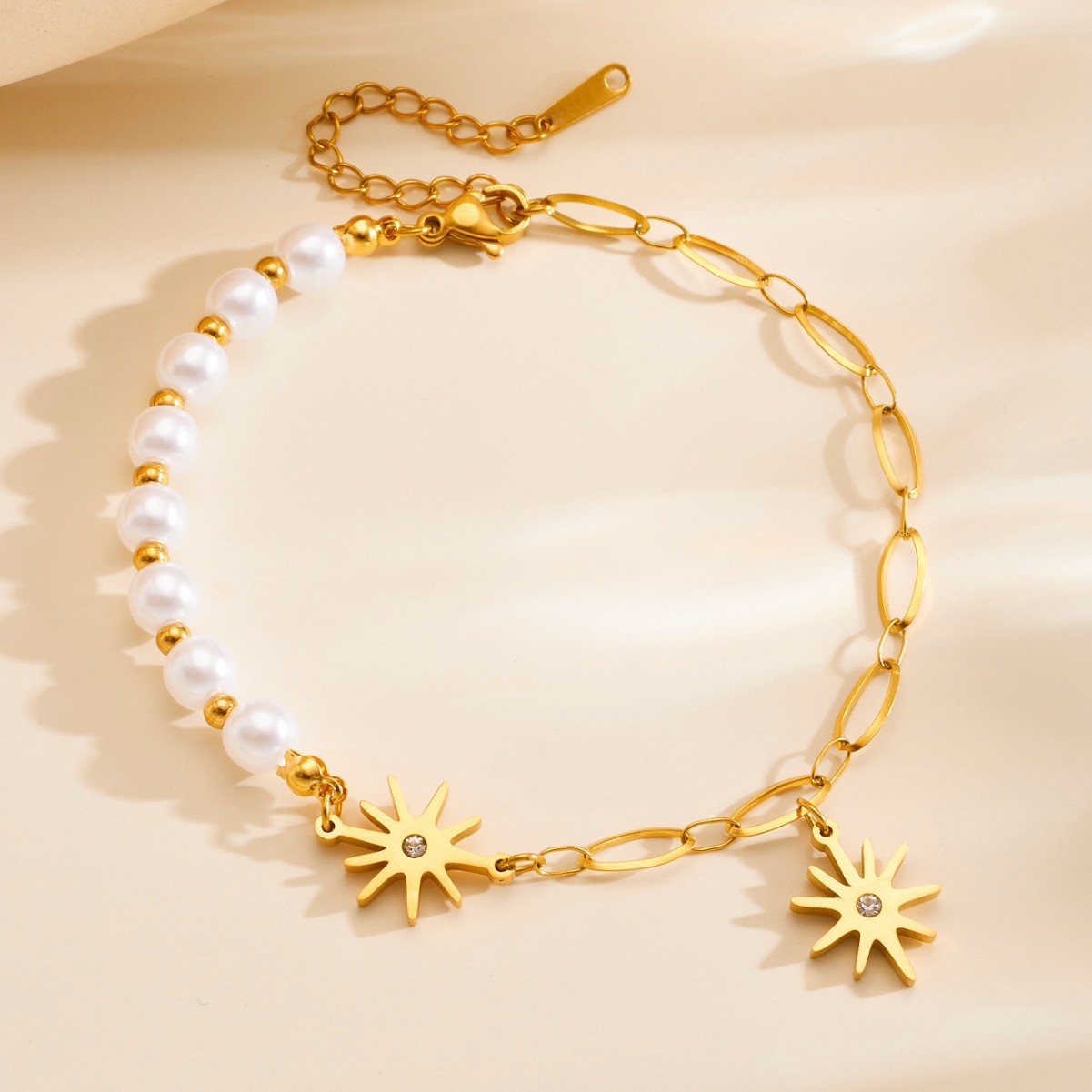
Google Shopping feed essentials: You need a Google Merchant Center account, a verified website, a linked Google Ads account, and a product feed. The mandatory fields are title, description, price, availability, image link, condition, and brand. For jewelry, the most important fields are product type, google product category, material, color, size, and gender. Titles should start with the product, then material, then key attribute, like Stainless Steel Cuban Link Necklace for Men. Main images must be at least 1000 pixels, on a white background, no text or watermarks. Feed refresh daily. Most disapprovals come from missing identifiers, inaccurate availability, or landing pages that do not match the offer. Fix those and the impressions climb.
Feed Fields That Matter
How do I write a product title that converts?
Titles: (1) Start with the product. (2) Then material, like 316L Stainless Steel. (3) Then key attribute, like Cuban Link or Hoop. (4) Then gender, if relevant. (5) Keep it under 150 characters. (6) Front-load the keywords. (7) Do not stuff keywords. (8) Match the landing page. (9) Example, Mens Stainless Steel Cuban Link Chain Necklace 5mm. (10) Test what searches trigger you.
What image requirements does Google Shopping have?
Images: (1) Main image at least 1000 pixels. (2) White or neutral background. (3) No text, logos, or watermarks. (4) Show the actual product. (5) No mannequins for the main image. (6) Additional images allowed. (7) High resolution. (8) Stable URL. (9) Use the same image on the product page. (10) Bad images get low CTR.
Do I need GTINs for jewelry?
Identifiers: (1) GTIN helps, but not mandatory for handmade or own-brand. (2) If the manufacturer provides one, use it. (3) MPN is your SKU. (4) Brand is your store name. (5) Do not use a competitor's GTIN. (6) Google may ask for identifier approval. (7) Custom designs can be marked as no identifier. (8) Fill in MPN. (9) Missing identifiers lower performance. (10) Check the diagnostics tab.
| Field | Why It Matters | Common Mistake |
|---|
| Title | Matches search queries | Leading with brand, not product |
| Price | Filters by budget | Tax or shipping not included correctly |
| Availability | Stops ads for out of stock | Stale stock count |
| Image | Drives clicks | Text overlays, tiny photos |
| Material | Targets stainless searches | Missing 316L attribute |
Fixing Disapprovals
Why are my products disapproved in Merchant Center?
Disapprovals: (1) Check the Diagnostics tab. (2) Common reasons, missing GTIN, wrong availability, landing page broken. (3) Price mismatch between feed and site. (4) Missing return policy. (5) Insufficient contact info. (6) Policy violations, like fake reviews. (7) Fix the root cause, not just the flag. (8) Request re-evaluation. (9) It can take a few days. (10) Check weekly.
Why are my impressions so low?
Low impressions: (1) Bids too low. (2) Titles do not match search terms. (3) Products are in the wrong category. (4) Budget is spent early. (5) Feed has errors. (6) Seasonal demand. (7) Look at search terms in Google Ads. (8) Add missing keywords to titles. (9) Increase bids on winners. (10) Cut losers.
Should I use a shopping feed app?
Apps: (1) Shopify has a Google & YouTube channel. (2) Popular apps are Feed for Google Shopping, Simpla, and AdNabu. (3) They auto-sync inventory. (4) They handle attributes. (5) They save hours. (6) Start free, upgrade when needed. (7) Do not edit the feed manually every day. (8) Keep stock in sync. (9) Test one app. (10) You want automated daily refresh.
Scaling Shopping Ads
What budget should a new jewelry store start with?
Budget: (1) Start with $20 to $50 a day. (2) Let it run two weeks. (3) Look at which products spend. (4) Pause high-spend low-converters. (5) Scale winners. (6) Do not set it and forget it. (7) Use a smart shopping or performance max campaign. (8) Bid by product. (9) Track return on ad spend. (10) Target above 2x ROAS.
How do I separate winning products from losers?
Analysis: (1) Group products by type. (2) Rings, necklaces, bracelets. (3) Look at click through rate. (4) Look at conversion rate. (5) Products with clicks but no conversion may have bad pricing. (6) Products with impressions but no click may have bad images. (7) Cut the worst 20 percent. (8) Spend more on the top 20 percent. (9) Seasonal items need a season. (10) Review weekly.
What landing page should Shopping ads point to?
Landing pages: (1) Point to the exact product page, not the homepage. (2) The price must match the feed. (3) The image must match. (4) Fast mobile load. (5) Clear add to cart. (6) Trust signals, reviews, returns. (7) No popups on landing. (8) Stock matches. (9) Same currency. (10) A mismatched page gets disapproved.
- Setup: Merchant Center, verified site, linked Google Ads.
- Titles: Product first, then material, under 150 chars.
- Images: 1000px+, white background, no text.
- Identifiers: MPN required, GTIN if available.
- Budget: $20-50/day starting, scale winners.
- Disapprovals: Diagnostics tab, fix root cause, request review.
- Landing: Exact product page, price and image match.
- Tools: Shopify Google channel, Feed for Shopping, Simpla.
Final Shopping Feed Advice
Google Shopping rewards clean data. You can outspend competitors and still lose to a store that has better titles, sharper images, and prices that match. Spend an hour auditing the feed before you increase the budget.
For stainless steel jewelry, the material attribute is your friend. When buyers search 316L waterproof necklace or tarnish free ring, you want those words in the title and the material field. That is how you show up for the buyers who already know what they want.
Fix the feed, point ads to real product pages, and let the data tell you what to scale.
Stock Feed-Ready JewelryConsistent 316L Stainless · MOQ $150
Open a Wholesale AccountFactory Direct Since 1998 · 31,000 Styles