
How to Photograph Stainless Steel Jewelry: E-commerce Product Guide
How to Photograph Stainless Steel Jewelry
E-commerce Product Guide That Sells
Your Photos Are Your Storefront
Let's be honest: in e-commerce, your photos are the only thing the customer sees. They can't hold the jewelry, can't feel the weight, can't see how it sparkles in person. If your photos are dark, blurry, or uninspiring, the customer moves on — no matter how good your product actually is.
The good news is that you don't need a $5,000 camera and a professional studio to take great jewelry photos. A smartphone, a $20 lighting setup, and a little bit of know-how is enough to take photos that sell. This guide covers the exact setup, techniques, and common mistakes that separate jewelry photos that convert from ones that don't.
We've worked with hundreds of jewelry sellers, and the difference between their best and worst photos isn't equipment — it's technique. The same $3 necklace can look like a $30 piece or a $0.50 piece depending entirely on how it's photographed.
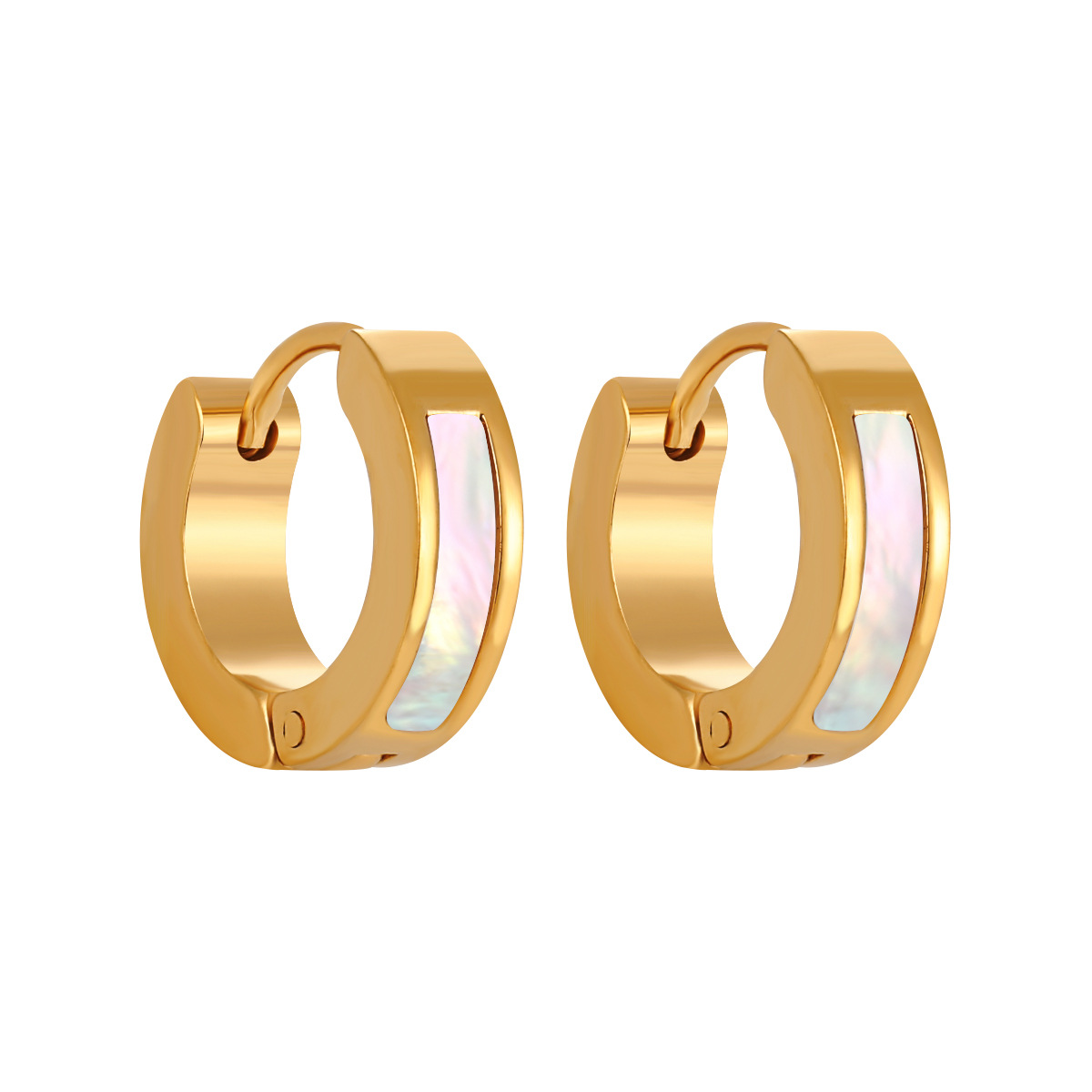
The $50 Photography Setup
You don't need expensive gear. Here's everything you need to start taking professional-looking jewelry photos, total cost under $50.
Your smartphone. Any smartphone from the last 4-5 years has a camera good enough for e-commerce jewelry photos. The iPhone 11 and newer, Samsung Galaxy S20 and newer, and Google Pixel 4 and newer all have excellent cameras. Clean the lens — this sounds obvious, but 80% of blurry jewelry photos are caused by a smudged lens.
Natural light. Free and the best light source for jewelry. Find a window with soft, indirect light — not direct sunlight, which creates harsh shadows. North-facing windows are ideal because the light is consistent all day. Shoot within 3 feet of the window.
A white foam board. $3 at any craft store. Use it as a background and as a reflector to bounce light back onto the jewelry. Two foam boards (one as background, one as reflector) is even better.
A tripod or phone stand. $10-$15 on Amazon. Keeps your phone steady for sharp photos and consistent angles. A tripod also lets you use the timer function, which eliminates camera shake from pressing the shutter button.
A backdrop. White paper ($2), marble contact paper ($5), or a wooden board ($10). The backdrop sets the mood of your photos — clean white for minimalist brands, marble for luxury, wood for bohemian.
| Item | Cost | Why You Need It | Priority |
|---|---|---|---|
| Smartphone (you already have) | $0 | Camera — modern phones are more than enough | Essential |
| Window with natural light | $0 | Best light source, free, consistent | Essential |
| White foam board (2) | $6 | Background and light reflector | Essential |
| Tripod / phone stand | $10-$15 | Sharp photos, consistent angles | Essential |
| Backdrop (paper/marble/wood) | $2-$10 | Sets brand mood, clean background | Essential |
| LED light panel (optional) | $15-$25 | For shooting when natural light isn't available | Nice to Have |
| Light tent / softbox | $20-$40 | Diffused light for reflective surfaces | Scale Up |
Lighting: The Most Important Factor
Lighting makes or breaks jewelry photos. Bad lighting makes stainless steel look dull and gray. Good lighting makes it shine and sparkle. Here's how to get it right.
Natural, indirect light is best. Set up your shooting area next to a window where sunlight doesn't directly hit. The light should be bright but soft — like a cloudy day. Direct sunlight creates harsh shadows and bright highlights that blow out the details in your jewelry.
Use a reflector. Place a white foam board opposite the window to bounce light back onto the shadow side of the jewelry. This eliminates harsh shadows and gives you even, balanced lighting. You'd be amazed at how much difference a $3 piece of foam board makes.
Avoid overhead lights. The ceiling lights in your home or office cast harsh shadows and create weird color casts (yellow from incandescent, green from fluorescent). Turn them off when shooting. Natural light from a window is always better.
Watch for reflections. Stainless steel is reflective, and it will reflect your phone, your hands, and the room around you. Position yourself and your phone so you're not reflected in the jewelry. A light tent or a white paper tunnel can help with highly reflective pieces.
Backgrounds and Styling
The background of your photo should complement the jewelry, not compete with it. Here's what works for different brand aesthetics.
Clean white. The most versatile background. A white foam board or white paper creates a clean, professional look that works for every style. White backgrounds are also required for Amazon and many marketplaces. For a seamless look, use a large sheet of white paper curved from the background down to the surface — this eliminates the horizon line.
Marble. Marble contact paper or a real marble tile gives a luxury, high-end feel. It works especially well for gold and PVD gold jewelry. White marble with gray veins is the most popular; black marble is dramatic for statement pieces.
Wood. A wooden board or wooden table gives a warm, natural, bohemian feel. Light oak works for minimalist and Scandinavian brands; dark walnut for luxury and men's jewelry.
Textured fabrics. Velvet, linen, and silk add texture and elegance. Black velvet makes diamonds and CZ stones pop. Linen gives a casual, organic feel. Silk adds luxury. Just make sure the fabric is clean and wrinkle-free.
Props. Use props sparingly. A small dish, a flower, a candle, or a book can add context and scale, but too many props clutter the photo and distract from the jewelry. The jewelry should be the star — props should support it, not compete with it.
- Minimalist brand: White background, no props, negative space. Clean and modern.
- Luxury brand: Marble or black velvet, subtle props (ring dish, silk ribbon). Elegant and expensive.
- Bohemian brand: Wood, macrame, dried flowers, textured fabrics. Warm and organic.
- Men's brand: Dark wood, leather, metal surfaces. Masculine and rugged.
- Bridal brand: White silk, pearls, flowers, soft lighting. Romantic and elegant.
- Golden rule: One background style for all photos. Consistency builds brand recognition.
How to Photograph Each Type of Jewelry
Different types of jewelry require different approaches. Here are the techniques that work for each category.
Necklaces. Lay them flat on the background in a natural curve — not stretched out straight. Use a necklace bust or display stand for a more professional look. For long necklaces, use the full frame and show the entire piece. For pendants, take one photo of the full necklace and one close-up of the pendant. Make sure the clasp is visible — customers want to see how it fastens.
Earrings. Photograph them as a pair, side by side, at the same angle. Use an earring display stand or prop them up on a small piece of foam. For stud earrings, take a close-up that shows the post and backing. For drop earrings, show the full length. Include a photo of them being worn if possible — scale is hard to judge with earrings.
Rings. Photograph rings standing upright (use a ring stand or a small piece of poster tack to hold them) so the customer can see the top and profile. Take one photo straight on and one at a 45-degree angle. Include a photo of the ring on a finger (yours or a model's) to show scale. For rings with stones, angle them to catch the light and show sparkle.
Bracelets. Lay them flat in an oval or circle shape. Use a bracelet display bust for a more professional look. For bangles, stack 2-3 to show how they look layered. For chain bracelets, make sure the clasp is visible. Include a wrist photo to show scale and fit.
Sets. Photograph the full set together first, then each piece individually. Arrange them neatly — necklace at the top, earrings on the sides, bracelet at the bottom. Use consistent spacing. A flat lay of the full set is the hero shot; individual photos show details.
| Jewelry Type | Best Angle | Display Method | Must-Have Shots |
|---|---|---|---|
| Necklaces | Flat lay, 45° overhead | Necklace bust or flat curve | Full piece, pendant close-up, clasp detail |
| Earrings | Straight on, slight angle | Earring stand or foam prop | Pair together, close-up detail, worn on ear |
| Rings | Straight on, 45° profile | Ring stand or poster tack | Top view, profile, on finger |
| Bracelets | Overhead, 45° angle | Bracelet bust or flat oval | Full piece, clasp detail, on wrist |
| Sets | Overhead flat lay | Neat arrangement on backdrop | Full set, each piece individually |
The 5 Photos Every Listing Needs
Don't just post one photo. Every jewelry listing should have at least 5 photos, each serving a different purpose. Here's the formula that converts.
1. Hero shot. The main photo — clean, well-lit, jewelry centered on your brand background. This is what customers see first. It should be beautiful and make them want to click.
2. Detail shot. A close-up that shows the quality of the piece — the stone setting, the chain links, the clasp, the finish. This is where you prove the quality. Get in close and make it sharp.
3. Scale shot. A photo that shows how big the jewelry actually is. A ring on a finger, a necklace on a neck, an earring on an ear. If you don't have a model, include a common object for scale (a coin, a ruler, a pen).
4. Lifestyle shot. The jewelry being worn or styled in a real-life context. A necklace with a t-shirt, earrings with an updo, a bracelet stacked with other bracelets. This helps customers imagine themselves wearing it.
5. Packaging shot. A photo of the jewelry in its packaging — the box, the tissue paper, the thank-you card. This communicates quality and gets customers excited about receiving their order.
Editing: Less Is More
Editing can make good photos great, but over-editing makes them look fake. Here's the simple editing workflow that works.
Use a free app like Snapseed or Lightroom Mobile. The adjustments you need: brightness (+10 to +20), contrast (+5 to +10), sharpness (+15 to +25), and saturation (+5 to +10, very subtle). That's it. Don't use filters — they change the color of your jewelry and customers will be disappointed when the real piece arrives.
For white backgrounds, use the "selective" tool to brighten the background to pure white. This makes the jewelry pop and gives a clean, professional look. Just be careful not to blow out the details in the jewelry itself.
For CZ and diamond jewelry, use the "details" or "structure" tool to enhance the sparkle. A little goes a long way — you want the stones to sparkle, not to look like a disco ball.
The most important editing rule: the photo should look like the actual product. If a customer receives the jewelry and it looks different from the photo, they'll return it and leave a bad review. Edit to enhance, not to transform.
Common Mistakes and How to Fix Them
These are the mistakes we see over and over — and they're all easy to fix.
Blurry photos. Cause: camera shake or dirty lens. Fix: clean your lens, use a tripod, use the timer function (2-3 seconds) so you're not touching the phone when the photo is taken. Tap the screen to focus on the jewelry before shooting.
Dark photos. Cause: not enough light. Fix: move closer to the window, use a reflector, shoot during midday. If you must shoot at night, invest in a $15 LED light panel.
Yellow/green color cast. Cause: overhead lights. Fix: turn off all overhead lights and use only natural window light. If the photo still looks yellow, adjust the white balance in editing (move it toward blue).
Reflections of the photographer. Cause: shooting reflective jewelry head-on. Fix: angle the jewelry slightly, use a white paper tunnel, or shoot from a 45-degree angle. A light tent eliminates reflections entirely.
Cluttered background. Cause: too many props or a messy shooting area. Fix: use a clean backdrop, remove everything that isn't the jewelry and 1-2 props. Negative space is your friend.
Inconsistent photos. Cause: different backgrounds, lighting, and angles for each product. Fix: set up a dedicated shooting area and use the same setup for every photo. Consistency builds brand recognition and makes your store look professional.
- Blurry → Clean lens + tripod + timer. 90% of blurry photos are from a dirty lens.
- Dark → Move closer to window + reflector. Shoot between 9am-3pm.
- Yellow cast → Turn off overhead lights. Natural light only.
- Reflections → 45° angle + white paper tunnel. Don't shoot head-on.
- Cluttered → One backdrop, one prop max. Negative space sells.
- Inconsistent → Dedicated shooting area. Same setup every time.
When to Hire a Professional Photographer
At some point, you might want to hire a professional. Here's when it makes sense — and when it doesn't.
If you're doing under 50 orders per month, don't hire a photographer. A professional jewelry photographer charges $20-$50 per photo, and a 5-photo listing costs $100-$250. At that volume, you're better off investing that money in inventory and learning to take good photos yourself.
If you're doing 100+ orders per month and launching new collections regularly, a professional photographer starts to make sense. At that volume, the time you spend photographing could be spent on marketing, customer service, and sourcing. A professional can also achieve lighting and styling that's hard to replicate with a smartphone setup.
A middle ground: hire a photography student or hobbyist for $10-$20 per photo. Many photography students are building their portfolios and will do excellent work at a fraction of the professional rate. Check local art schools or Instagram for emerging photographers.
Frequently Asked Questions
Related Reading
- Jewelry Product Photography FAQ: Lighting, Backgrounds, and Ecommerce Tips — Lighting, Backgrounds, Camera Gear, Editing, and Ecommerce Conversion
- Jewelry Product Photography: How to Take Photos That Sell — How to Take Photos That Sell
- Starting a Stainless Steel Jewelry Business: From First Order to Consistent Sales — From First Order to Consistent Sales
- Selling Jewelry Online FAQ: Etsy, Shopify, Amazon, and Social Media — Etsy, Shopify, Amazon, and Social Media Answered
31,000+ Styles · Consistent Quality · Low MOQ $150
Request Sample PackFactory-Direct Since 1998 · Fast Shipping · Beginner Friendly
- Company Info
- Feedback
- Customer Reviews
- About Us
- Dropshipping
- FAQ
- Jewelry Wholesale Blog
- User Center
- Forget Password
- My Orders
- Tracking Order
- My Account
- Register
- Payment & Shipping
- Terms And Conditions
- Return Policy
- Shipping Methods
- Payment Methods
- Discount